MobiTEF Server
This documentation is based on the current minimum version of the MobiTEF Server.
MobiTEF Server plays the crucial role of integrating commercial automation and payment terminals, acting as an intermediary in communication between them. Its role is passive in this integration, meaning that the automation and application initiate communication directly with the server. The MobiTEF Server functionalities, accessed by automation and the MobiTEF App, are made available through an API Gateway. This API performs authentication, supported by AWS Cognito, and authorization of automations and terminals to access their respective resources.
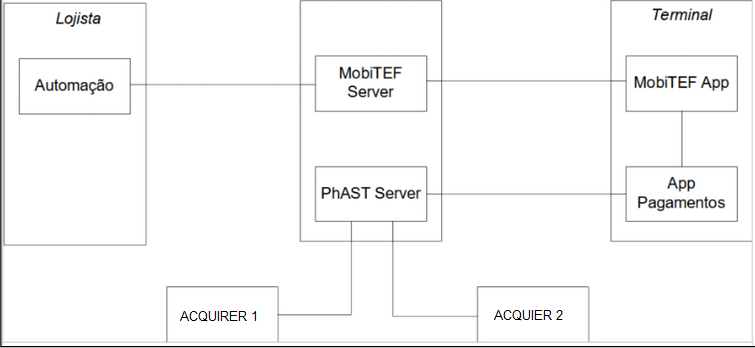
Functionalities
Next, the main functionalities available in MobiTEF Server automation will be presented.
Payments
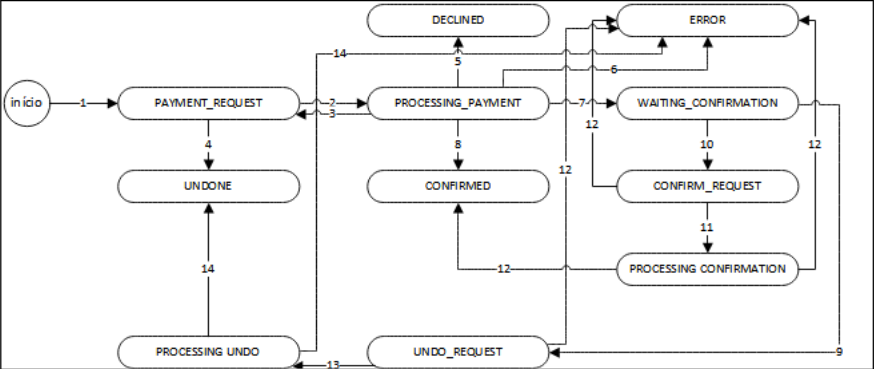
The payment initiation process is driven by business automation, with a variety of possible payment states. These states are outlined in the following table:
| Status | Description |
|---|---|
| PAYMENT_REQUEST | Initial state of a payment. |
| UNDO_REQUEST | The automation requested the payment to be undone. |
| CONFIRM_REQUEST | The automation requested payment confirmation. |
| WAITING_CONFIRMATION | Payment is waiting for automation to confirm it. This may happen due to the need to print a tax document for payment. |
| CONFIRMED | Payment is confirmed. |
| UNDONE | Payment is canceled. |
| DECLINED | Payment was denied. |
| ERROR | An error occurred during payment processing. |
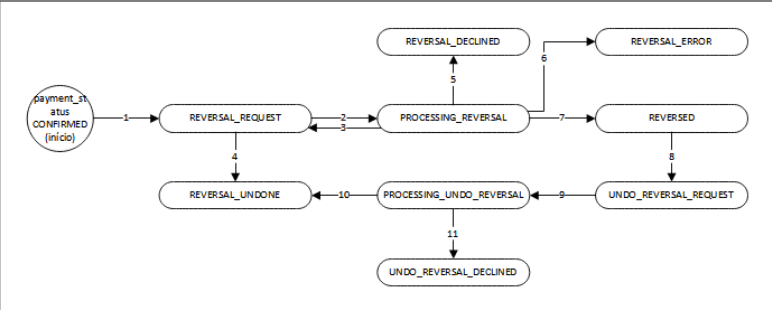
chargebacks
| Status | Description |
|---|---|
| REVERSAL_REQUEST | Initial state of a payment. |
| UNDO_REVERSAL_REQUEST | The automation requested the payment to be undone. |
| REVERSED | The automation requested payment confirmation. |
| REVERSAL_UNDONE | Payment is being processed. |
| REVERSAL_DECLINED | The payment cancellation is being processed. |
Credentials
To consume MobiTEF-server resources, it is necessary to register the retailer's user and password on the paystore portal. To do this, the facilitator must be previously registered and have access to the paystore portal.
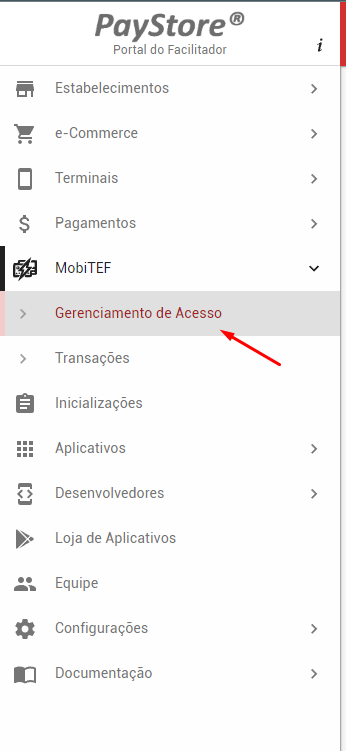
The username and password are generated by the portal automatically, simply selecting the desired retailer. These credentials must be used to generate the token from the /authentication/authUser resource
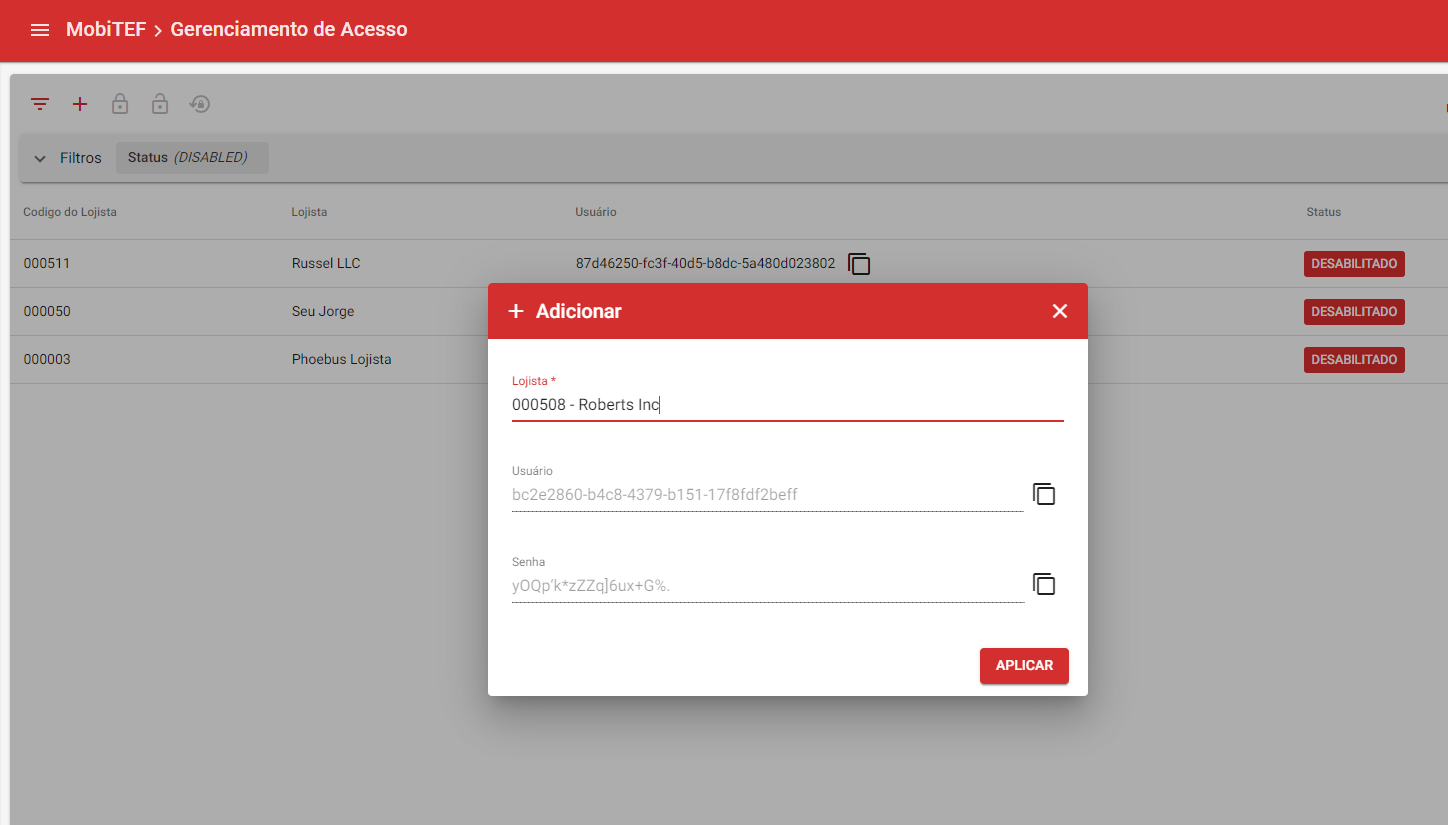
Using the token, it is now possible to consume the other resources in this documentation.