Payment Flow Screens
When integrating your app with the PayStore payment application and invoking the method that starts the startPaymentV2() payment flow, for example, the application flow is now controlled by payments. In this process, some screens will be presented to the user, as follows:
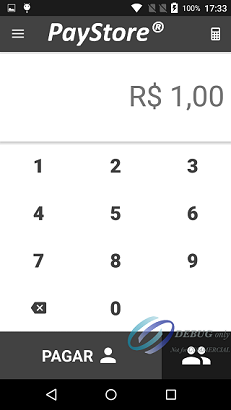
Value capture screen.
If the application that called the payment integration does not inform the amount, the user will be asked for it. This screen also has a built-in calculator for other operations.
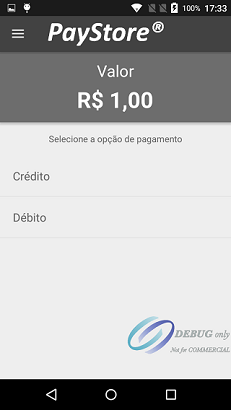
Payment type selection screen.
These options can also be configured in the integration.
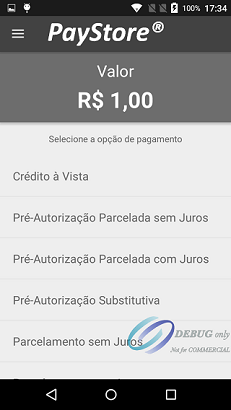
Credit operation selection screen.
These options can also be configured in the integration.
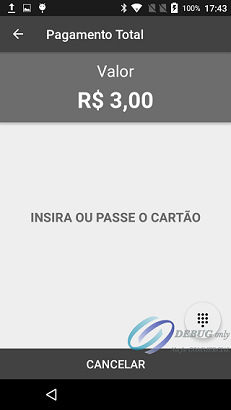
Card read request screen.
The customer or operator must insert or swipe the card.
Card password request screen.
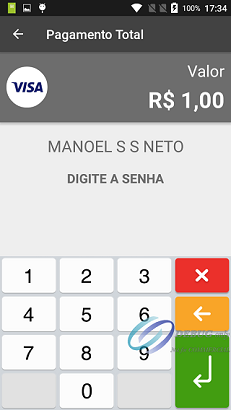
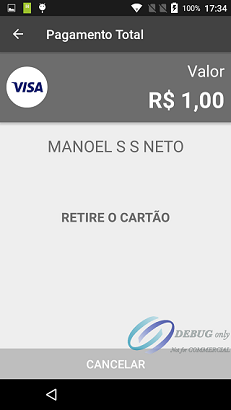
Request screen to remove the inserted card, if this is the case.
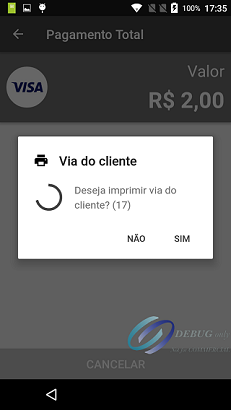
Customer Via Print Screen.
At the end, the payment flow will be returned to the application that called it through the onSuccess() or onError() callback.