Publish Application
To publish an application, it is necessary to log in to the PayStore Portal as a developer. As an example, we will use the development environment. After logging in, access the Applications -> Drafts menu.
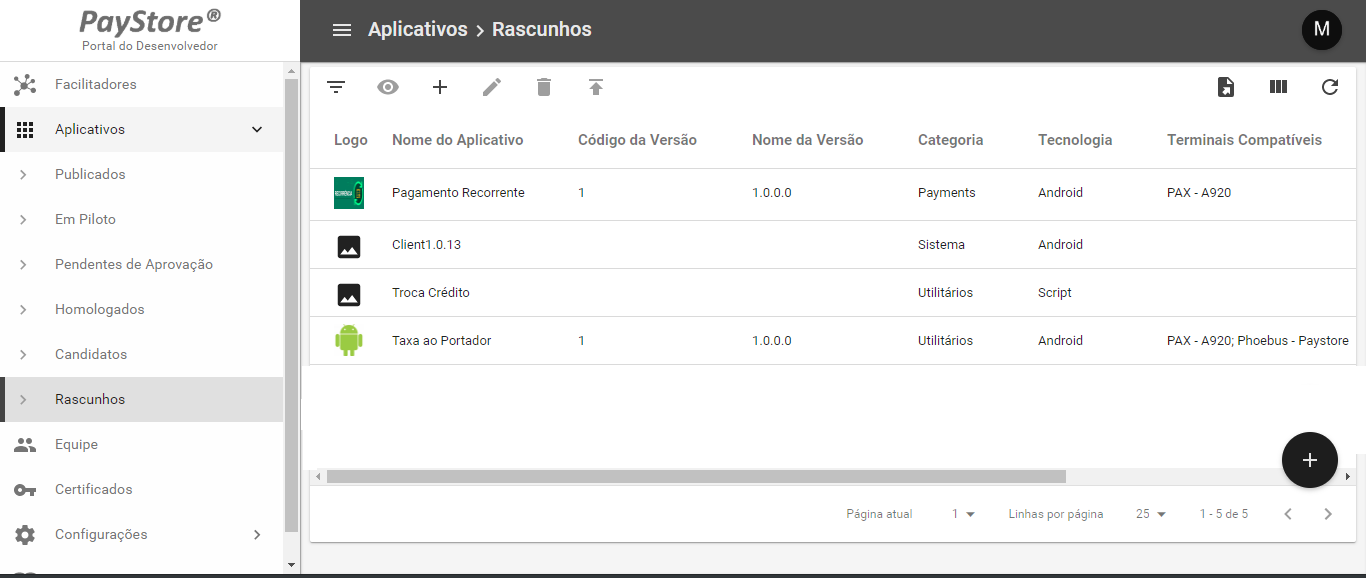
New version
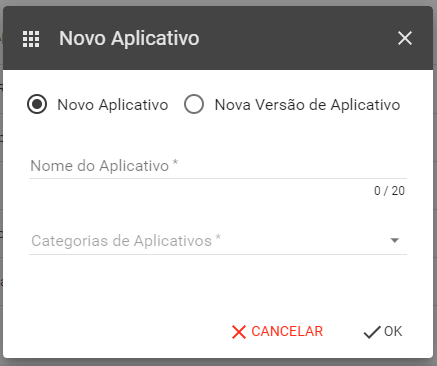
If this is the first time the application is published, click on the New Application button. After that, a screen will appear as shown below:
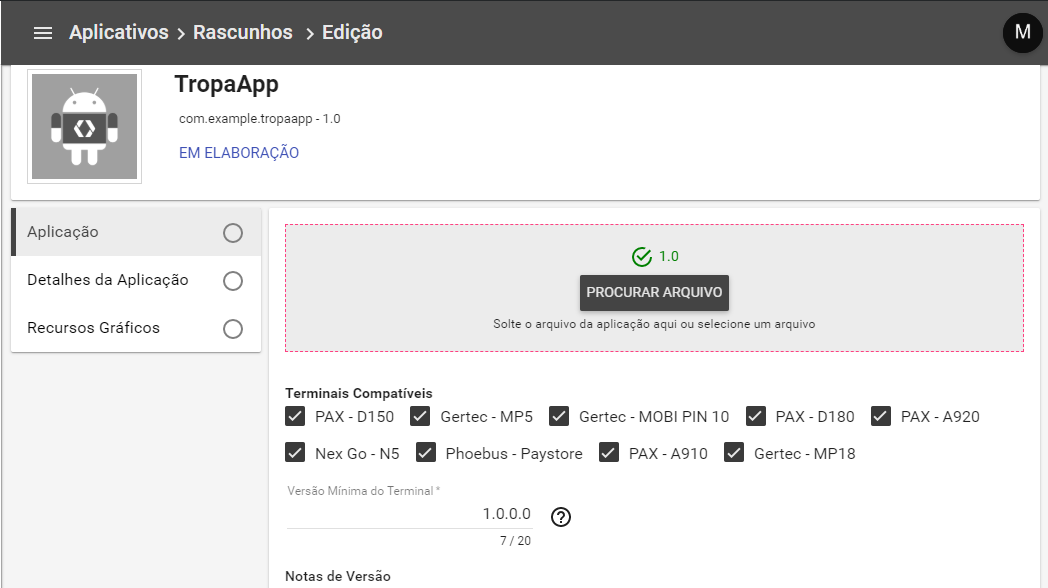
Provide the information about the application. When filling in the keywords, press Enter at the end, and click on Save Draft. If everything is ok, click on Publish Application.
Info
Some manufacturers require the application to be signed by them so that it can run on production endpoints. In this way, ensure that your application is signed for the technology (Compatible Terminals) in which it will be used.
A screen will appear to select which Facilitator should approve your application. Please note that each new step in the application publishing flow will require approval from the designated Facilitator. With each step change, the developer will be notified by email.
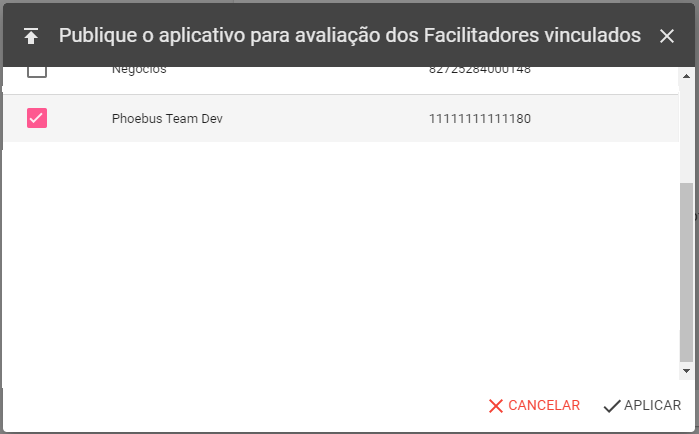
For the Facilitator, the application will be in the Applications -> Candidates menu. The Facilitator must approve or disapprove the application. In case of approval, the application goes to the Approval stage.
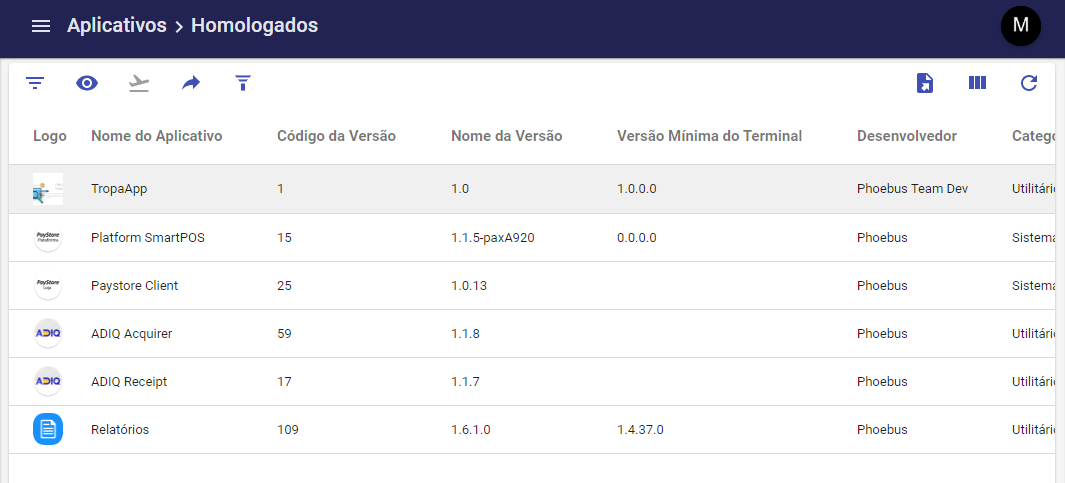
Once approved, the application will be ready to be published. In this way, it will be available to be downloaded by the Facilitator's network of terminals. To publish the application, select it and click the Publish button.
After publishing the application, a screen with the publication filters will be displayed. These filters will define which terminals will receive your application. See image below:
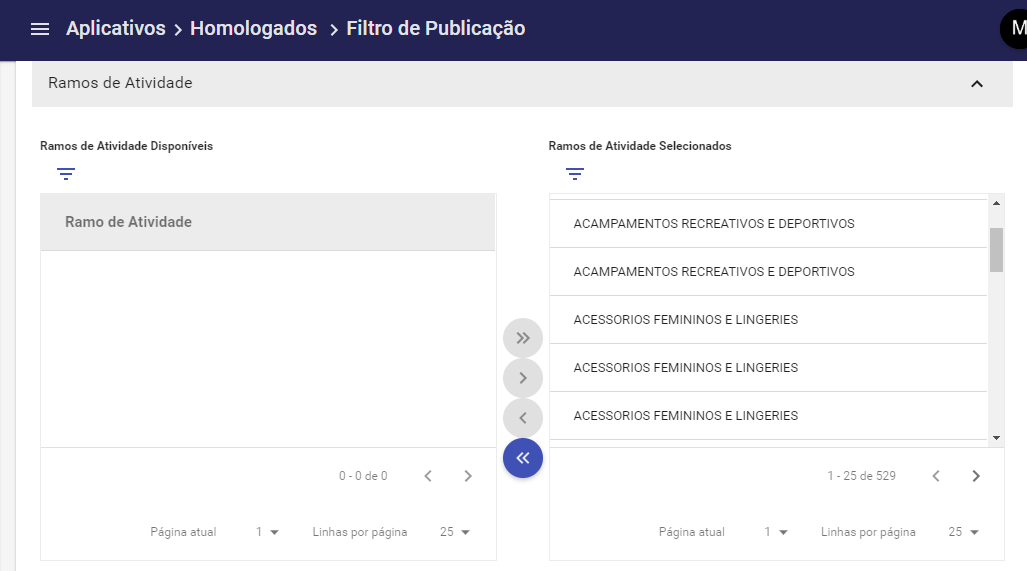
Congratulations, your application is published!
Update Version
If you have an already published application and want to update its version, follow the steps below:
1 - In your application project, open the build.gradle (App Module) file. In defaultConfig, increment the VersionCode and versionName, this way your application will be accepted by the Portal to replace the already published version.
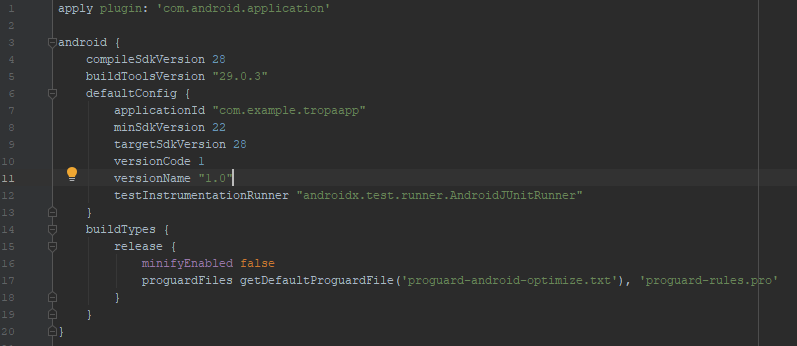
2 - Generate the new version apk. Access the PayStore Portal as described in Publicate Application
3 - Select the New version of the application option, as shown in the image below:
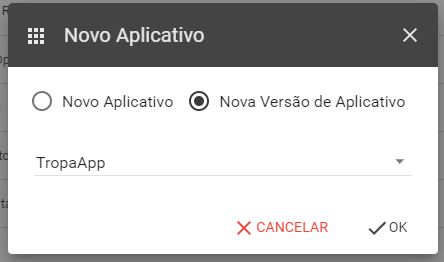
4 - Upload the new apk that you want to publish and click on Publish Application
The next steps are similar to publishing a new application.
Congratulations, your version has been updated!